


The Event Advocacy Playbook :
Leveraging Event Posters
How to Turn Your Participants into a Powerful Volunteer Marketing Army.


The Core Strategy
The Problem Statement
Marketing focuses on "Register Now", but humans focus on "Look at Me".
Most advocacy campaigns fail because they prioritize the event organizer's needs over the attendee's social needs. To fix this, we must shift the creative focus from promotion to personal storytelling.
The Mobile Reality: The "Browse-to-Buy" Gap
Most people scroll on their phone and buy tickets on their laptop. That specific behavior shapes everything in this guide.
The Implication: Your advocacy posters must be designed for mobile-first consumption. The creative has one job: to hook the user on a small screen effectively enough that they return to register later on a big screen. A strong design bridges this gap by keeping the event top-of-mind.
The Psychology of Advocacy
To build a viral engine, you must align with human behavior.
The Fuel (Why Attendees Share)
They don't share for you; they share for themselves.
- ✓ Belonging: "I'm part of this community"
- ✓ Credibility: "I'm a professional"
- ✓ Excitement: Anticipation
The Spark (Why Networks Click)
Drivers for traffic from social feeds.
- ✓ Curiosity: To explore what it is
- ✓ Trust: Friend > Ad
- ✓ FOMO: Fear of Missing Out
Strategy & Preparation
A successful campaign starts long before the first email is sent.
✅ Step 1: Define Clear Goals
Be specific. Don't just aim for "engagement".
"Activate 10,000 advocates sharing on LinkedIn"
✅ Step 2: Segment Your Audience
Do not use a single template. Create tailored designs for each key group:
✅ Step 3: Master Personalization
True personalization drives sharing. Go beyond just [First Name].
- Essentials: Attendee Name, Company Name, Profile Picture.
- Advanced: Use smart enrichment to pull in company logos based on email domains for exhibitors.
Best Practice: The Introvert Fix
Offer an alternative poster version that uses a company logo instead of a profile picture. This caters to camera-shy participants and significantly increases share rates.
Design for Impact
The Stakes: A well-executed design is a performance lever. A good design can lift conversions by 5%, while a poor one breaks the conversion loop.
1. The Format (Mobile-Optimized)
Strict adherence to these dimensions is required to maximize visibility in social feeds. Why: Square or tall formats deliver higher visibility than landscape. This size occupies the maximum screen real estate on a phone, ensuring your message isn't scrolled past.
2. Core Design Principles
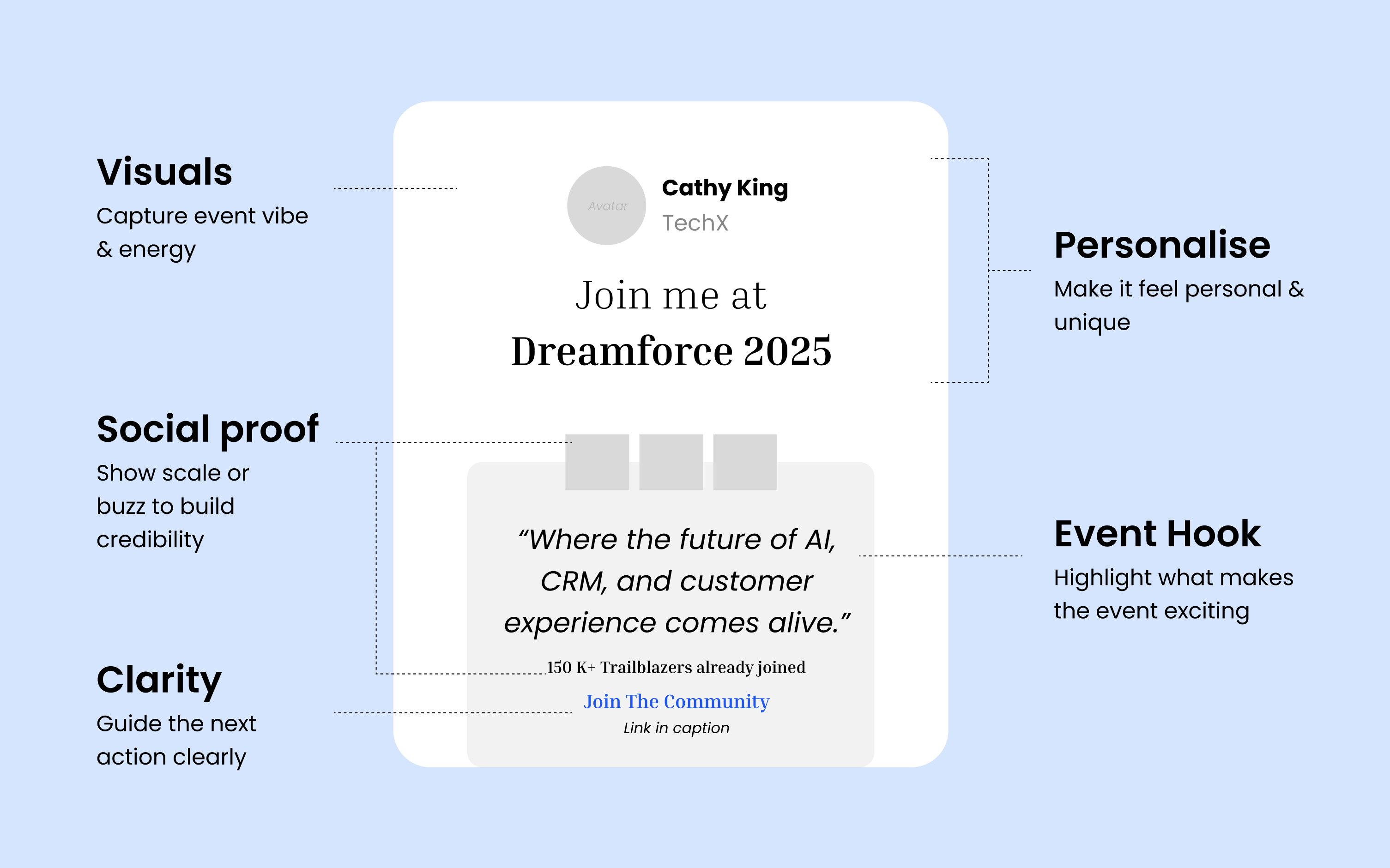
"Personal First" Hierarchy
People share to boost their own credibility. Therefore, the attendee is the hero, not the event logo.
The Rule: The attendee's Name, Company, and Face must be unmissable.
Typography: Name > Professional Title.
Effect: Validates ego, 3x more shares.
Communicate Scale & Importance (FOMO)
The design must instantly communicate that this event is "the place to be".
The Rule: Use impactful images and taglines (e.g., "The World's Largest Tech Show").
Effect: Establishes credibility & creates FOMO.
Ruthless Clarity & Minimal Clutter
Mobile screens have limited space. Any extra visual noise hurts performance.
The Rule: The design must feel open and easy to digest. Use strong visual hierarchy.
Visual Storytelling (The Vibe)
Don't just use a plain background.
The Rule: Use backgrounds that capture the event's energy, personality, or iconic location (e.g., city skyline).
Effect: Stops the scroll. Feels like an "experience" rather than a receipt.
Example Designs
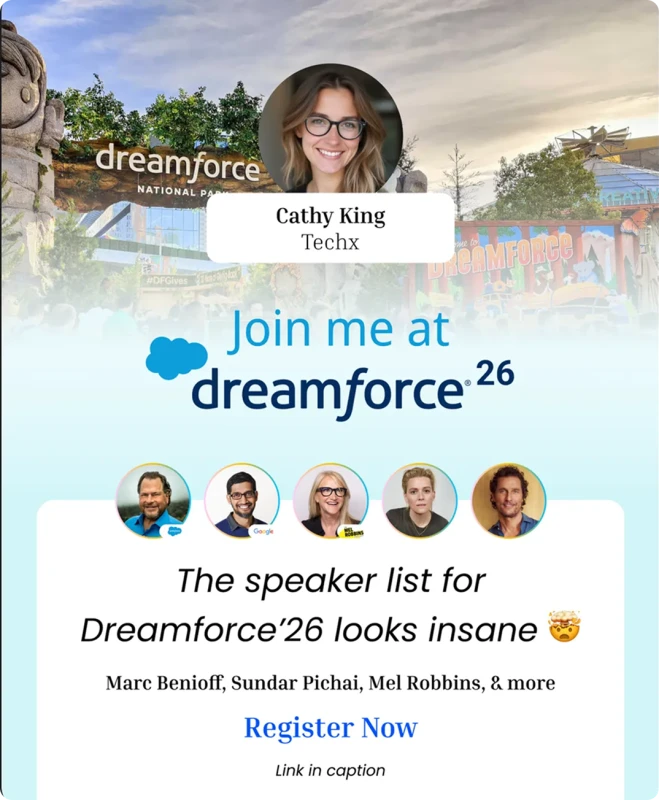
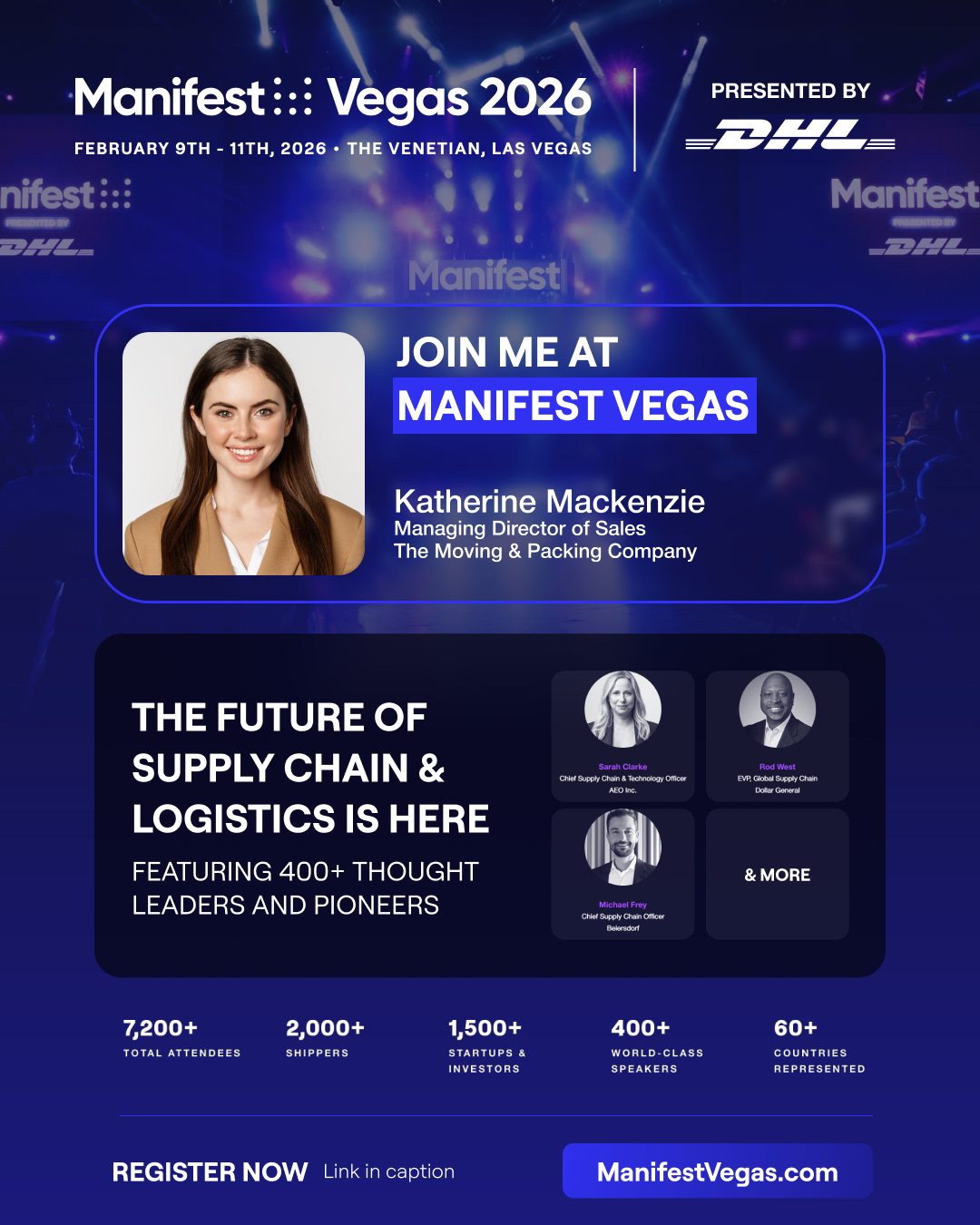
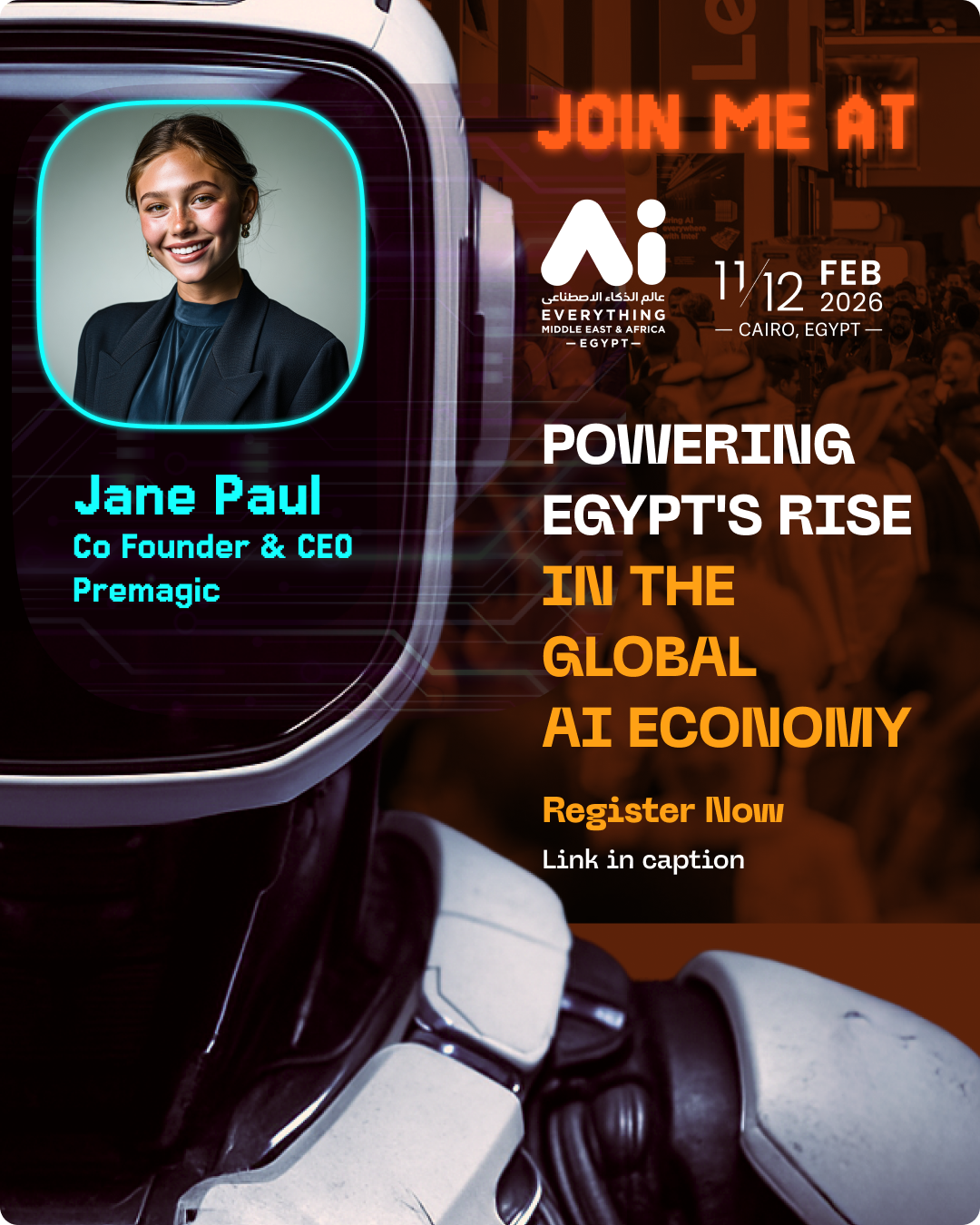
3. Essential Elements Checklist
- Attendee: High-quality Profile Image, Name (Big/Bold), Professional Title.
- Event: Dates, Event Logo.
- Location: Venue, City, or Country (Highlight the most globally recognizable).
- Color: Prioritize Event Colors over corporate brand colors for an organic look.
Execution & Distribution
Timing and channel selection are critical to maximizing engagement.
✅ Step 4: Integrate into Key Touchpoints
Reach your audience when their excitement is at its peak.
- "Quick Register" Button (Frictionless): Social login = Instant poster.
- Confirmation Page Widget: Embed on "Thank You" page. Target: 30%+ engagement.
- Management Portals: Embed native widgets in Speaker/Exhibitor dashboards.
✅ Step 5: Launch Hyper-Personalized Email Campaigns
This is often the highest-performing channel.
- Timing: Tuesdays are best. Impact lasts 2-3 days.
- Show, Don't Tell: Embed the live preview of their poster in the email body.
- Urgency: Frame subject lines as tasks ("Action Required: Your Event Post is Ready").
- Trust: Include social proof ("Join 5,000+ others who have shared!").
✅ Step 6: Leverage Targeted Messaging
- WhatsApp: Use this for high-value segments like Speakers and Exhibitors, especially over weekends when email inboxes are ignored.
Optimization & Analysis
Launch is just the beginning. Real success comes from iteration.
✅ Step 7: Monitor Actionable Metrics
Track the full funnel to find bottlenecks:
- Email Clicks: Are people clicking through to see their poster?
- On-Page Engagement: How many interact with the widget?
- Generation vs. Share Rate: Identify the drop-off between creating and posting.
- Referral Clicks: Identify your most effective advocate segments.
✅ Step 8: Iterate Based on Data
- Heatmaps: Use Microsoft Clarity to see user engagement. Stuck? Move the widget.
- Social Trust: Add "12,500+ Posters Created!" counters to the widget.
- A/B Testing: Test different taglines.
✅ Step 9: Automate the Follow-Up
Many people generate a poster but forget to share it.
The Nudge: Set up an automated email 3-5 days after generation if no share is detected.
"Ready to share your poster? Let your network know you're attending!"
The Strategic Mindset
An advocacy poster campaign is not just another box to check. The difference between a forgotten campaign and a viral engine is treating it as a core marketing strategy. When you give this channel the thought and execution it deserves, you generate authentic, organic social proof that paid ads can't buy.
Automate Your Event Posters