Campaign idea
The Attendee Recognition Badge
Make attending a status symbol. A badge people post because of what it says about them.
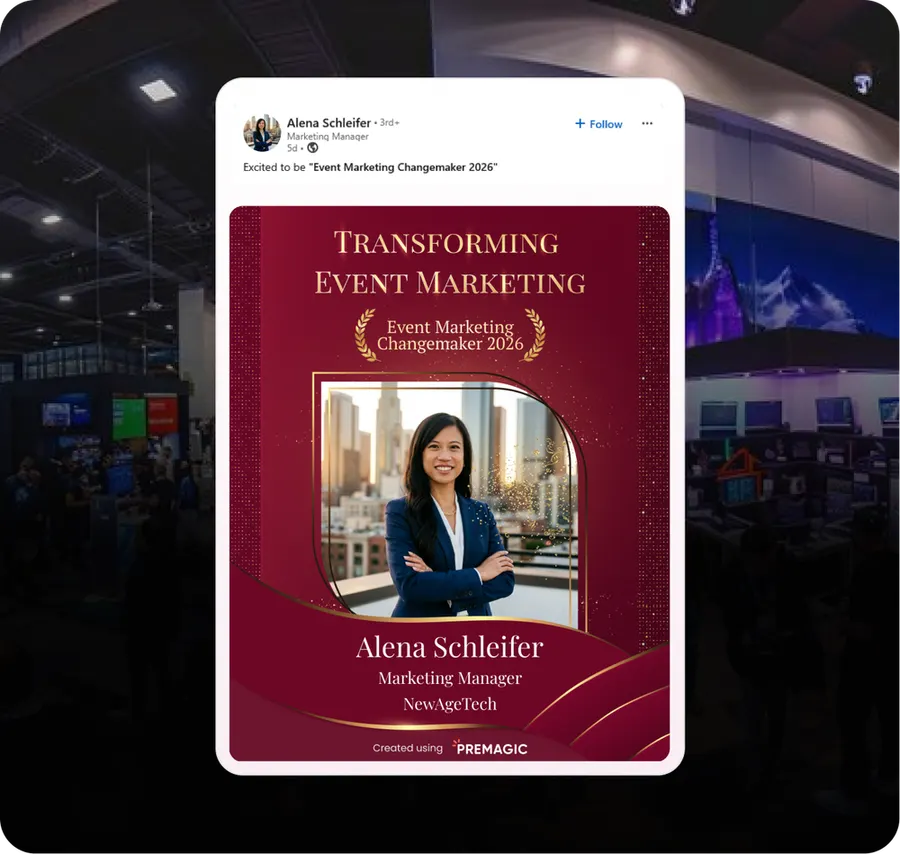
What it is
A generic 'I'm attending' graphic gets ignored. A badge that says 'one of 200 CTOs selected for the Leadership Track' gets posted immediately, because it is a credential.
The trick is the group, not the graphic. Define a cohort that means something - by role, by track, by selection - and give that cohort a badge that names it.
- When to run it
- Before the event
- Who does the sharing
- Attendees
- What it's for
- Registrations, Brand reach
- Effort
- Low effort
Timing: As soon as someone registers, then again 3-4 weeks out.
Why it works
- Status is a stronger sharing motive than enthusiasm. People post things that raise their standing.
- It signals to their peers that this is an event serious people attend, which is exactly the message that sells the next ticket.
- It gives your non-speaker attendees - the majority of the room - something worth posting.
- Selectivity is free. Naming a cohort costs nothing and changes how the event is perceived.
How to run it
- 1
Define cohorts that carry weight
Speakers' guests, VIP track, first 100 registrants, returning alumni, a role-based group. It has to be true and it has to be limited.
- 2
Name the cohort on the badge
The words do the work: 'Selected', 'Invited', 'Class of 2026', 'Founding member'. Put the cohort size on it.
- 3
Deliver it as a personal message
'You've been included in X' lands differently from a bulk send. Use WhatsApp or a personal-looking email.
- 4
Pre-write a caption they would actually write
Modest, not boastful. 'Glad to be joining the X track at Y' beats anything with an exclamation mark.
- 5
Show the badges publicly
A page or a post showing the cohort creates FOMO in everybody who is not on it.
Set it up in Premagic
The steps above are the campaign. These are the clicks.
- 1
Identify the cohort
Pick a group that means something - a track, a seniority band, the first hundred registrants, returning alumni.
- 2
Create the poster
Name the cohort on the badge and put the cohort size on it. The words are what turn a graphic into a credential.
- 3
Write personal copy
"You've been included in X" lands very differently from a bulk announcement.
- 4
Send the recognition
Deliver by WhatsApp or a personal-looking email rather than a mass campaign.
- 5
Publish a featured gallery
A public page of the cohort creates FOMO in everyone not on it.
- 6
Track the impact
Share rate by cohort, plus the registrations that came through badge links.
Pro tips
- Recognise attendees across different companies, geographies and industries. Diverse recognition attracts a diverse room.
- Start 6-8 weeks out, while people are still deciding whether to come.
- Stagger it - speakers first, then company leaders, then other key attendees. It keeps the buzz going for weeks.
- Name the reason. "Confirmed for the AI & Machine Learning track" beats "confirmed attendee".
- Keep the gallery current. Add new high-profile registrants as they come in.
Best fit for
- Events with recognisable attendees or senior job titles
- Conferences where who is in the room is part of the draw
- Events building credibility for a first or early edition
- Organisers who want social proof without buying it
- Any event where peers influence whether someone attends
What you need
- Registrant data with role or ticket type
- A badge template per cohort
- A delivery channel that feels personal
What to measure
- Badge share rate by cohort
- Comments and reshares per badge post
- Registrations from badge referral links
Go deeper: Turn Attendees Into a Sharing Machine in the Event Advocacy Playbook.
Or read the original write-up on the Premagic blog.
Campaigns that pair with this one
 Before
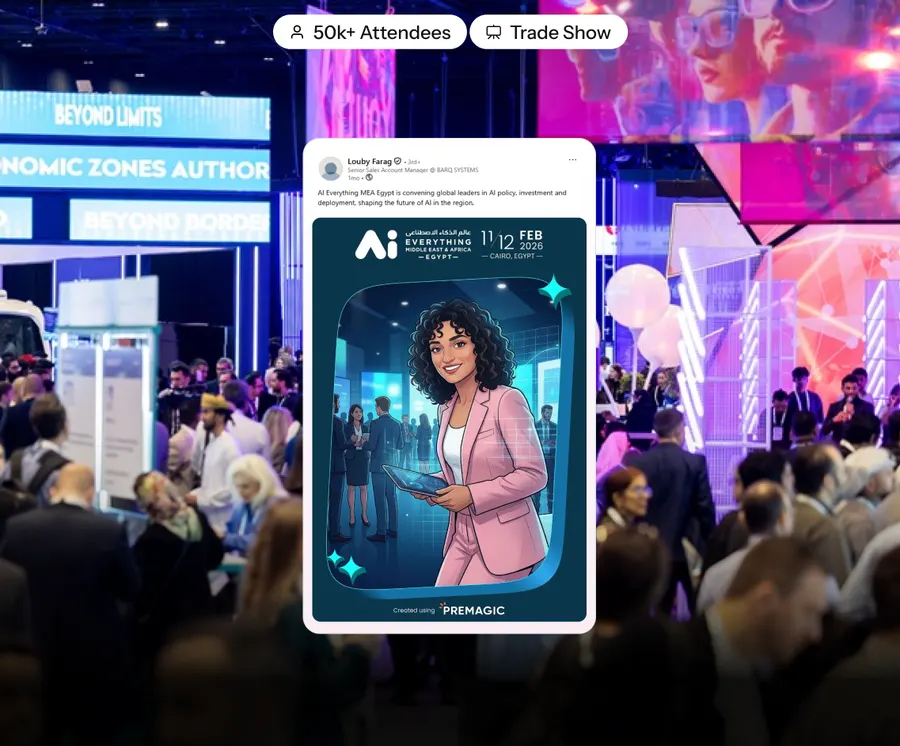
The AI Avatar Campaign
Attendees generate a branded AI avatar and post it. Every post is an ad for your event in front of a lookalike audience.
Proven at AI Everything MEA Egypt
 After
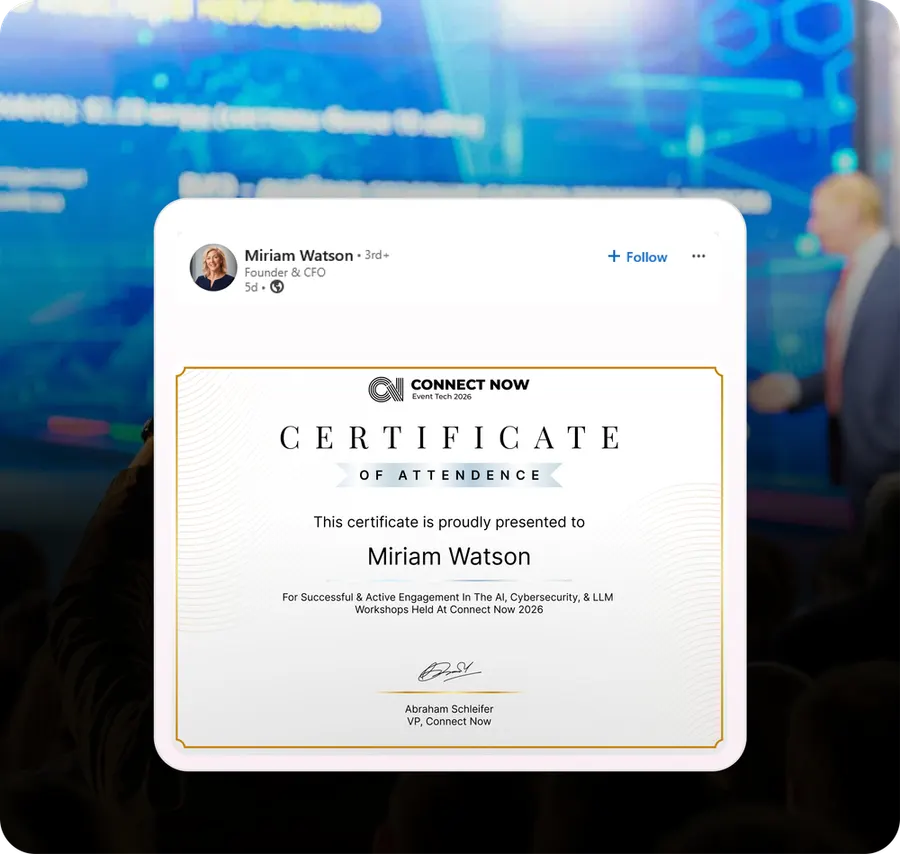
AfterThe Participation Certificate
A certificate people actually post - because it proves something rather than just thanking them.
 Before
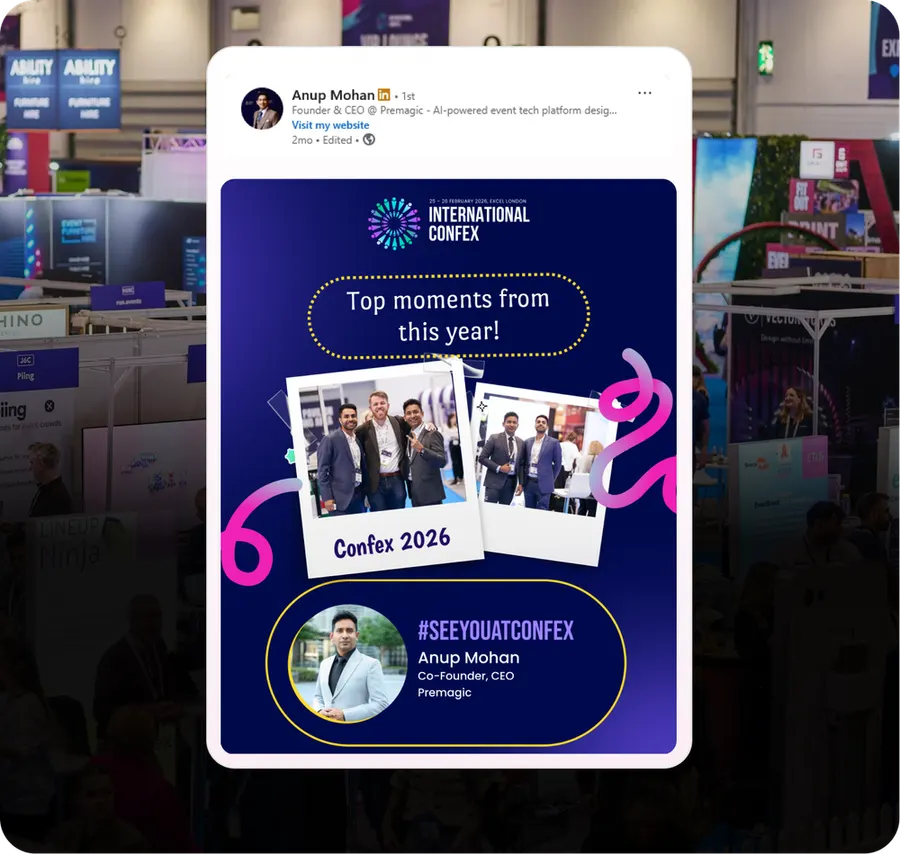
The Memory Banner
Auto-built posters of returning attendees in last year's photos. Nostalgia sells the ticket.
We'll build the campaign with you
Premagic runs the assets, the tracking and the nudges - so the campaign actually ships instead of sitting in a plan.